Kafka Getting Started
Apache Kafka is an open-source stream-processing software platform developed by LinkedIn and donated to the Apache Software Foundation, written in Scala and Java. The project aims to provide a unified, high-throughput, low-latency platform for handling real-time data feeds.
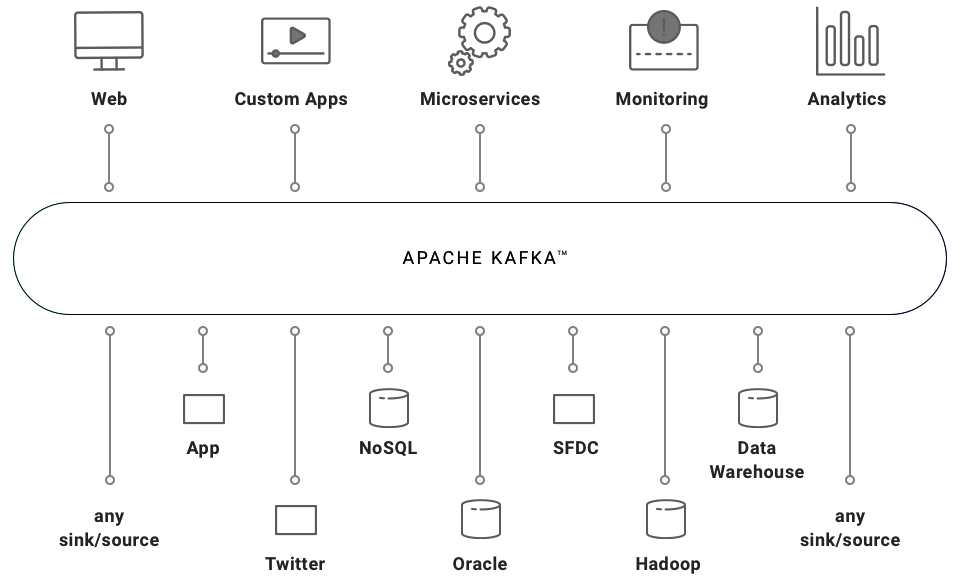
If you have installed Websoft9 Kafka, the following steps is for your quick start
Preparation
- Get the Internet IP of your Server on Cloud
- Check your Inbound of Security Group Rule of Cloud Console to ensure the TCP:9092,2181 is allowed
- Get default username and password of Kafka
- Complete Five steps for Domain if you want to use Domain for Kafka
Kafka Initialization
Steps for you
You should verify the Kafka when completed deployment:
-
Use you SSH to login Server, run the following commands
cd /data/apps/kafka && sudo docker compose ls -
Kafka will get feedback from "status: running (3)" during normal operation
Having trouble?
Below is for you to solve problem, and you can contact Websoft9 Support or refer to Troubleshoot + FAQ to get more.
Kafka QuickStart
Refer to the Kafka official docs for your quick start: Kafka Quickstart
Kafka Setup
Kafka GUI
This deployment package includes Kafka and Web-GUI tool CMAK for Kafka Cluster management.
Follow the steps below to use it:
-
Use the Chrome or FireFox to access URL http://Server's Internet IP:9091, go to CMAK login page (Don't know password?)
-
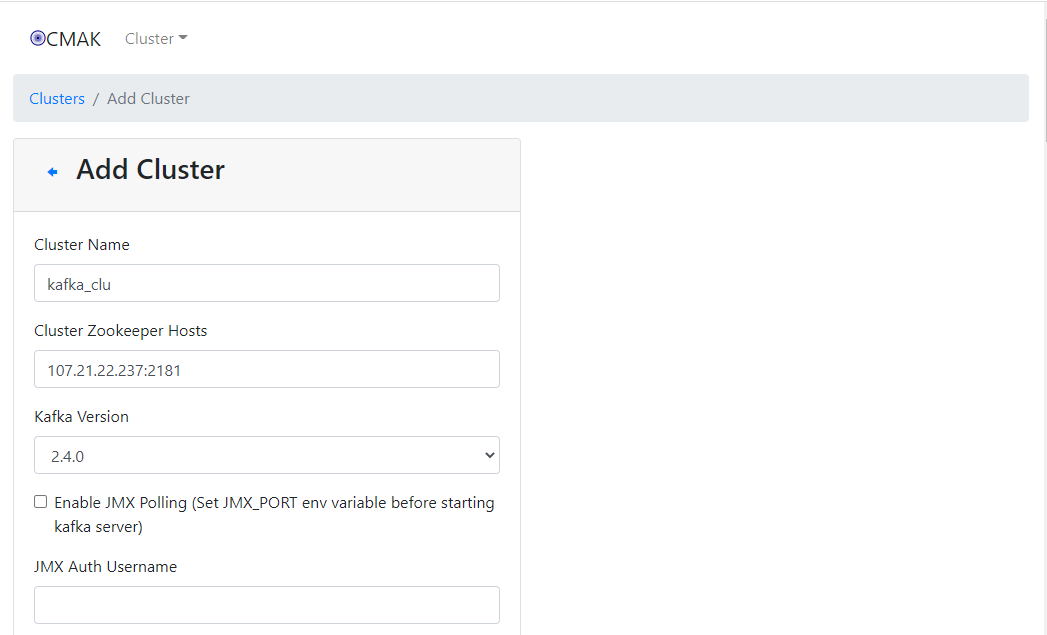
Create new Kafka Cluster when login successfully
-
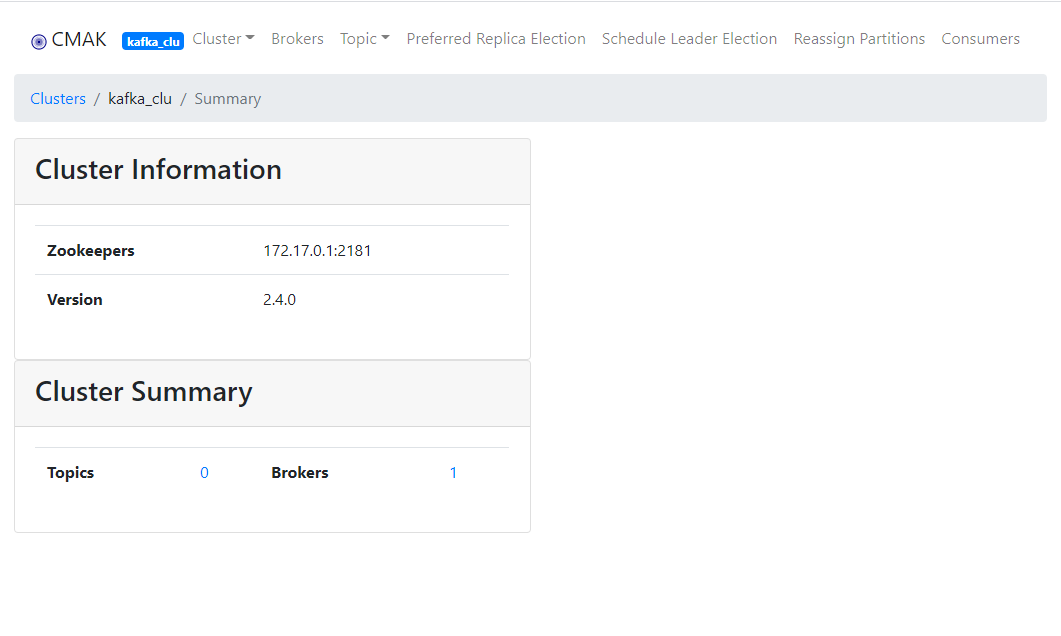
CMAK connect Kafka successfully
Log management
Enable default log cleanup policy
The default setting of Kafka is to keep logs for 7 days, but the log cleaning policy is enabled by default. Enable after running the following command:
# Open log deletion policy
sed -i '/log.retention.hours=168/i\log.cleanup.policy=delete' /opt/kafka/config/server.properties

# Restart Kafka service
sudo docker restart kafka
Custom log cleanup policy
You can customize the log cleaning policy. The specific steps are as follows::
-
Access Kafka container
-
Edit */opt/bitnami/kafka/config/server.propertie * relevant parameters
log.cleanup.policy=delete
log.retention.hours=168
log.retention.check.interval.ms=300000
log.segment.bytes=1073741824 -
Restart Kafka service
sudo docker restart kafka
Reference sheet
The below items and General parameter sheet is maybe useful for you manage Kafka
Run docker ps, view all containers when Kafka is running:
CONTAINER ID   IMAGE                                         COMMAND                  CREATED          STATUS          PORTS                                                                     NAMES
e628a73126fd   bitnami/kafka:2.8                             "/opt/bitnami/script…"   36 minutes ago   Up 36 minutes   0.0.0.0:9092->9092/tcp, :::9092->9092/tcp                                 kafka
219ebeafc96c   bitnami/zookeeper:latest                      "/opt/bitnami/script…"   36 minutes ago   Up 36 minutes   2888/tcp, 3888/tcp, 0.0.0.0:2181->2181/tcp, :::2181->2181/tcp, 8080/tcp   kafka-zookeeper
84ff90680786   ghcr.io/eshepelyuk/dckr/cmak-3.0.0.5:latest   "/cmak/bin/cmak -Dpi…"   36 minutes ago   Up 36 minutes   0.0.0.0:9091->9000/tcp, :::9091->9000/tcp                                 kafka-cmak
Path
Kafka installation directory: /data/apps/kafka
Kafka data directory: /data/apps/kafka/data/kafka_data
Kafka configuration directory:/opt/bitnami/kafka/conf(Inside the kafka container)
Zookeeper data directory: /data/apps/kafka/data/zookeeper_data
Port
| Port | Use | Necessity |
|---|---|---|
| 9092 | Kafka | Optional |
| 2181 | Zookeeper | Optional |
| 9091 | CMAK | Optional |
Version
# Kafka version
docker exec -i kafka /opt/bitnami/kafka/bin/kafka-topics.sh --version

# CMAK version
docker exec -it kafka-cmak bash -c 'ls /cmak/lib/cmak.cmak-*-assets.jar'|awk -F"-" '{print $2}'
Service
sudo docker start | stop | restart kafka
sudo docker start | stop | restart kafka-cmak
sudo docker start | stop | restart kafka-zookeeper
CLI
# kafka
docker exec -it kafka /opt/bitnami/kafka/bin/kafka-console-consumer.sh --bootstrap-server yourip:port --consumer.config consumer.properties --topic my-topic

# ZooKeeper client
docker exec -it kafka-zookeeper zkCli.sh -server IP:2181